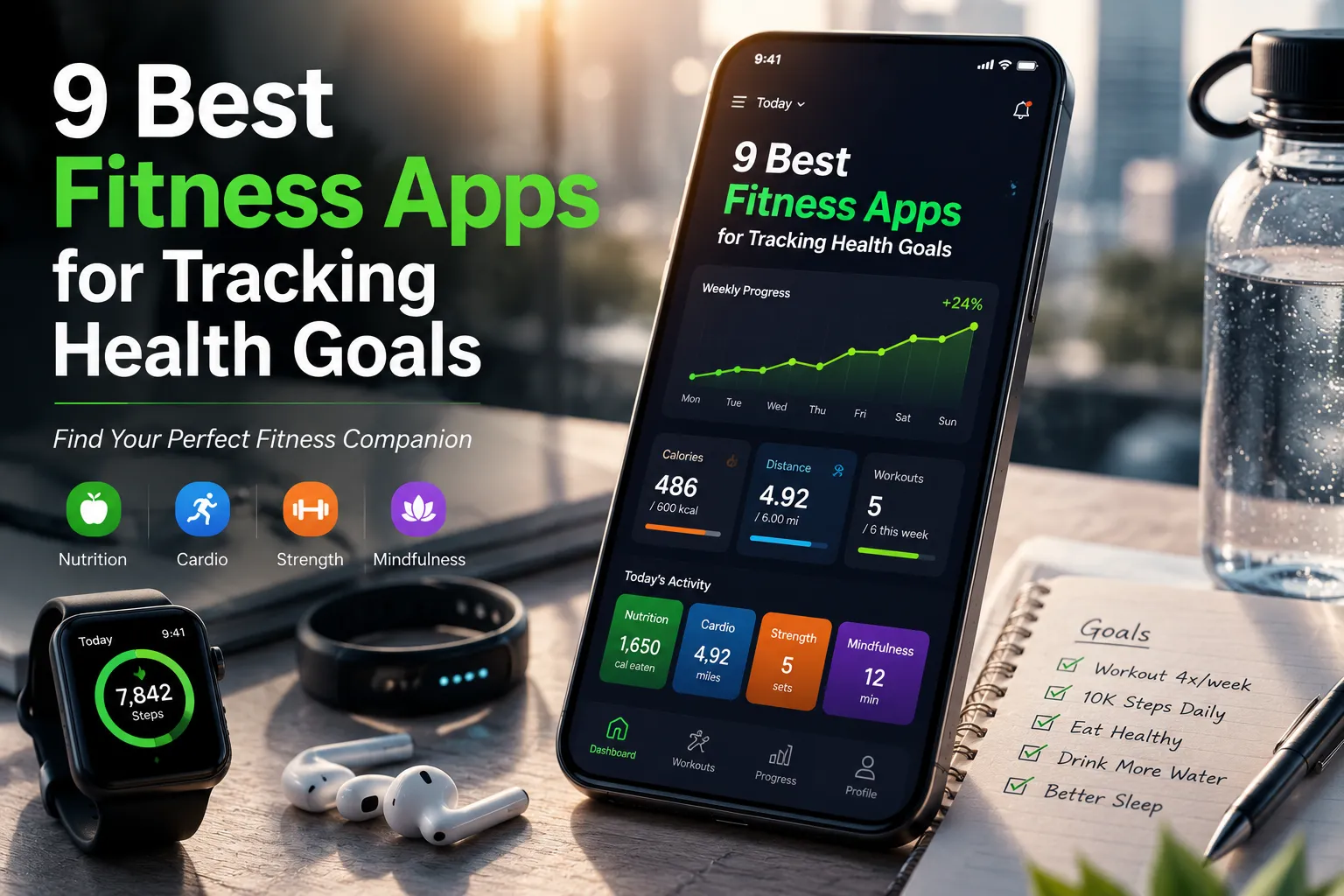
9 Best Fitness Apps for Tracking Health Goals in 2026
If you’ve ever started a fitness journey with genuine enthusiasm only to lose steam three weeks later, you’re not alone. Research shows that nearly 80% of New Year’s resolutions fail, often because people lack a systematic way to track progress and stay accountable. That’s where fitness apps come in.
The fitness app market has exploded over the past five years, transforming how millions of people approach their health and wellness. What was once a simple step counter has evolved into sophisticated ecosystems that can track workouts, nutrition, sleep, stress levels, and recovery—all from your phone.
But here’s the challenge: with thousands of fitness apps available across the App Store and Google Play, how do you know which one will actually support your goals? The difference between a well-chosen app and a poorly-suited one can mean the difference between sustainable progress and abandoned fitness dreams.
In this comprehensive guide, I’ll walk you through the 9 best fitness apps currently available, based on real-world performance, user feedback, and how well they align with different fitness objectives. Whether you’re training for a marathon, looking to lose weight, building muscle, or simply trying to move more daily, you’ll find an option tailored to your needs.
Why 9 Fitness Apps Have Become Essential to Modern Fitness
Ten years ago, fitness tracking meant writing down your workouts in a notebook or trusting your memory. Today, fitness apps provide objective, real-time data about your activities, and this shift has fundamentally changed how people approach their health.
The numbers tell the story. The global fitness app market was valued at $4.5 billion in 2023 and is projected to reach $14.8 billion by 2030. That’s not just growth in market size—it’s growth in adoption. More than 50% of smartphone users now have at least one fitness or health-tracking app installed.
But why? What’s driving this widespread adoption?
Behavioral Change Through Visibility: When you’re tracking something consistently, you become more aware of it. Someone who logs their workouts starts to notice patterns. Someone who logs their meals suddenly realizes how much they’re actually eating. This awareness, in itself, drives behavior change. It’s not about judgment or restriction—it’s about honest feedback.
Personalized Accountability: An app doesn’t judge you for missing a workout or indulging in dessert, but it also doesn’t let you pretend it didn’t happen. That combination of non-judgmental tracking creates accountability in a way that generic fitness advice never can.
Progress Visualization: Your brain responds to visual feedback. Seeing a 12-week progress chart, a streak of consecutive workout days, or a running distance map showing how far you’ve traveled creates motivation that numbers alone can’t replicate.
Integration with Your Digital Life: Modern fitness apps sync with wearables, calendar apps, music platforms, and health data aggregators. This ecosystem approach means you’re not managing separate, disconnected tracking systems—everything feeds into one coherent picture of your health.
What Makes a Great Fitness App? The Evaluation Framework
Before diving into specific recommendations, let’s establish what separates exceptional fitness apps from mediocre ones.
1. Accuracy and Data Integrity A best fitness app is only as valuable as the accuracy of its data. This means reliable algorithms for calculating calories, precise GPS tracking for running and cycling, and seamless integration with wearable devices that ensures data flows without errors or duplication.
2. User Experience and Interface Design The best features in the world won’t matter if you dread opening the app. Great fitness apps have intuitive navigation, minimal friction between intention and action, and an interface that makes sense to beginners while offering depth for advanced users.
3. Goal-Specific Features Not everyone is training for a marathon. Not everyone is trying to lose weight. The best apps recognize this diversity and provide targeted features for different objectives—whether that’s periodized strength training plans, macro-specific nutrition tracking, or community running features.
4. Wearable Integration In 2025, almost everyone who’s serious about fitness has a smartwatch or fitness tracker. Apps that seamlessly sync with Apple Watch, Garmin, Fitbit, and Oura Ring create a more complete picture of your health than any single device can provide.
5. Motivation and Engagement The app you use consistently is better than the “perfect” app you abandon after two weeks. Features like social challenges, progress visualization, motivational reminders, and community features make a real difference in long-term adherence.
6. Privacy and Data Security With health data being increasingly valuable to insurance companies and data brokers, privacy matters. Apps that are transparent about data collection and provide robust security give users peace of mind.
7. Customization and Flexibility Everyone’s fitness journey is unique. The best apps allow you to set custom goals, adjust plans based on real-world circumstances, and personalize the experience without requiring a computer science degree to figure out the settings.
1. MyFitnessPal: The Nutrition-First Powerhouse
Best For: Anyone serious about weight management, macro tracking, or understanding their nutrition
MyFitnessPal has dominated the nutrition tracking space for over a decade, and for good reason. With a database of over 14 million foods, it’s the most comprehensive food tracking app available.
Key Features:
- Barcode scanning for instant meal logging
- Extensive food database with restaurant chains included
- Macro and micronutrient tracking
- Integration with 50+ wearables and apps
- Customizable macro targets based on your goal
- Recipe builder for tracking homemade meals
- Progress photos and measurement tracking
Best Suited For:
- People following specific macro ratios (keto, high-protein, etc.)
- Anyone doing flexible dieting or “If It Fits Your Macros” (IIFYM)
- Users who want deep nutritional insights
- Those integrating with multiple fitness platforms
Pricing:
- Free version: Basic food logging with limited features
- Premium: $9.99/month – Includes calorie goals, macro tracking, advanced analytics, and ad removal
The Honest Take: MyFitnessPal’s strength is its nutrition database and macro tracking capability. The weakness? The free version is laden with ads, and the user interface can feel dated compared to newer competitors. However, for serious nutrition tracking, it remains unmatched. If you’re not concerned about your workouts and just want to understand your eating patterns, this is your app.
Integration Capabilities: Syncs seamlessly with Strava, Apple Health, Fitbit, Garmin, Peloton, and most wearables.
2. Apple Fitness+: The Premium Ecosystem Play
Best For: iPhone and Apple Watch owners who want professionally-produced guided workouts
If you’re invested in Apple’s ecosystem, Fitness+ is worth serious consideration. It’s not just about tracking—it’s about guided, professionally-produced workouts delivered directly to your devices.
Key Features:
- Library of 3,000+ professionally-produced workout videos
- Real-time metrics displayed on your screen during workouts
- Personal Record tracking and achievements
- Workout types: Strength, Cardio, Dance, HIIT, Pilates, Yoga, Cycling
- Meditation and mindful cooldown sessions
- Seamless integration with Apple Watch for biometric data
- Personalized recommendations based on workout history
Best Suited For:
- Apple ecosystem users (iPhone, iPad, Apple TV, Apple Watch)
- People who respond well to coached, guided workouts
- Those looking for variety without subscription fatigue
- Users who want real-time coaching feedback
Pricing:
- $9.99/month or included free with Apple One subscription
- No ads, no free tier
The Honest Take: Apple Fitness+ is polished, professional, and seamlessly integrated with Apple devices. The instructors are genuinely motivating, and the production quality is exceptional. The limitation? It requires Apple hardware, and the library, while extensive, can start to feel repetitive if you work out frequently. Still, if you’re an Apple user, this is the most natural choice.
Integration Capabilities: Deep integration with Apple Health, Apple Watch, and other Apple services. Limited integration with non-Apple devices.
3. Strava: The Social Running and Cycling Platform
Best For: Runners, cyclists, and anyone who loves community and competition
Strava stands out as the social network for athletes. What started as a simple GPS tracking app has evolved into a platform where millions of people share their outdoor workouts, compete on segments, and find local training partners.
Key Features:
- GPS tracking with route mapping and analysis
- Segment leaderboards (see how your performance compares on specific routes)
- Social feed with activity sharing
- Kudos and comments from your community
- Live activity sharing during workouts
- Training plans for different distances (5K to ultramarathon)
- Heart rate and power data integration
- Route building and discovery
Best Suited For:
- Runners and cyclists who want community engagement
- People training for races with structured plans
- Those who thrive on competition and comparison
- Users who want to discover new routes locally
- Anyone with a smartwatch or cycling computer
Pricing:
- Free version: Basic tracking and activity posting
- Strava+: $7.99/month – Includes training plans, segment filtering, route building
The Honest Take: Strava’s community aspect is genuinely motivating for many people. There’s something about seeing your name on a local segment leaderboard that drives you to work harder next time. However, this social aspect can feel competitive or discouraging if you’re not at that performance level. Also, the free version works fine for most people, though training plans require the subscription.
Integration Capabilities: Integrates with Garmin, Apple Watch, Fitbit, Wahoo computers, and most fitness devices.
4. Strong Workout Tracker: The Strength Training Specialist
Best For: Anyone serious about building muscle and progressive strength training
If your primary goal is strength training, Strong stands in a category by itself. It’s built specifically for tracking resistance training, progression, and program adherence.
Key Features:
- Detailed exercise library with form videos
- Rest timer between sets with customizable rest periods
- Automatic progressive overload suggestions
- Workout program templates (Starting Strength, StrongLifts 5×5, PPL, etc.)
- Exercise grouping by muscle group and workout day
- Volume and tonnage tracking
- Personal record tracking
- Offline functionality
Best Suited For:
- Powerlifters and strength athletes
- People following structured training programs
- Users who want to track volume and progressive overload
- Anyone serious about recording workout details (RPE, notes, etc.)
- Those without fancy equipment or wearables
Pricing:
- Free version: Full tracking capabilities
- Strong Premium: $3.99/month – Includes cloud backup and sync across devices
The Honest Take: Strong is genuinely impressive in its simplicity and focus. There’s no bloat, no social features trying to distract you, and no subscription pressure. The free version is feature-complete for most strength athletes. If you’re not interested in cardio tracking or nutrition logging, Strong is your answer.
Integration Capabilities: Limited integration with third-party apps, but offers manual data entry and cloud sync.
5. Fitbit App: The Wearable-First Dashboard
Best For: Fitbit device owners or people wanting comprehensive daily activity tracking
The Fitbit app serves as the command center for all Fitbit devices, though it also works standalone. It’s focused on daily movement, sleep tracking, and holistic health metrics.
Key Features:
- Dashboard with daily activity, heart rate, and sleep data
- Weight and nutrition tracking
- Menstrual cycle tracking
- Hydration logging
- Stress management features and guided breathing
- Sleep score and sleep analysis
- Active minutes tracking
- Social challenges with friends
- Integration with Google services (post-acquisition)
Best Suited For:
- Fitbit device owners
- People wanting comprehensive daily activity tracking
- Those interested in sleep optimization
- Users who want one app for all health metrics
- Individuals focusing on overall wellness vs. specific workouts
Pricing:
- Free version: Basic tracking and syncing with Fitbit device
- Fitbit Premium: $9.99/month – Includes advanced insights, detailed sleep coaching, personalized guidance
The Honest Take: The Fitbit app is solid and, if you own a Fitbit device, it’s the natural choice. The sleep tracking is particularly valuable. However, it’s somewhat limited if you’re using it without a Fitbit device, and the workout tracking isn’t as detailed as dedicated fitness apps. It’s best used as a comprehensive health dashboard rather than a focused fitness app.
Integration Capabilities: Integrates with Google services, MyFitnessPal, Strava, and other health platforms through Google Health Connect.
6. Peloton Digital: Beyond the Bike
Best For: People wanting guided, music-driven workouts without the $2,000 bike
Peloton built its reputation on high-energy, instructor-led workout classes. The Digital app brings that experience without requiring their hardware investment.
Key Features:
- Live and on-demand classes across multiple modalities
- Treadmill, strength, yoga, stretching, and walking classes
- Music-driven motivation (curated soundtracks by songs and artists)
- Instructor variety with distinct personality and teaching styles
- Output tracking (for users with compatible devices)
- Post-workout analysis and progress metrics
- Community shout-outs during live classes
- Integration with Apple Watch and other wearables
Best Suited For:
- People who love the Peloton culture and community
- Those motivated by charismatic instructors
- Users who want guided workouts across multiple disciplines
- Anyone looking for music-driven fitness motivation
- People with Peloton equipment wanting to expand options
Pricing:
- Peloton Digital: $12.99/month – Includes access to entire class library
- No free trial after initial promotion period
The Honest Take: Peloton’s biggest strength is the instructor community. Their classes aren’t just workouts—they’re motivational experiences. The music curation is genuinely excellent. However, the app is pricier than competitors, and you need compatible equipment to get the full benefit. Also, the motivational “culture” can feel exclusive to some users.
Integration Capabilities: Works with Apple Watch, Fitbit, and displays metrics for Peloton equipment.
7. Nike Training Club: Free Professional-Grade Workouts
Best For: People who want professional coaching without premium subscription costs
Nike Training Club offers something rare: genuine, high-quality workout guidance at no cost. It’s an often-overlooked gem in the fitness app landscape.
Key Features:
- Extensive library of 150+ workouts across difficulty levels
- Workouts organized by goal (strength, cardio, mobility, balance)
- Video demonstrations for every exercise
- Audio cues and motivational coaching during workouts
- Personalized recommendations based on your goals and equipment
- No ads (supported by Nike’s business model)
- Works offline after downloading
- Minimal tracking (focused on doing, not data hoarding)
Best Suited For:
- Budget-conscious fitness enthusiasts
- People wanting simple, guided workouts without data obsession
- Those without wearables or complex tracking needs
- Users who want professional instruction without subscription costs
- Anyone wanting to try structured workouts before committing to premium apps
Pricing:
- Completely Free
- Nike Training Club Premium: $14.99/month (optional) – adds personalized plans and custom programs
The Honest Take: Nike Training Club is genuinely impressive for a free app. The workout quality rivals paid alternatives, and the interface is clean and uncluttered. The free version really does give you everything most people need. This app flies under the radar because it’s free and backed by Nike’s reputation rather than algorithmic promotion. If you’re cynical about subscription fitness apps, start here.
Integration Capabilities: Limited integration; primarily focused on the app experience itself.
8. Lose It!: The Weight Loss Specialist
Best For: People focused specifically on weight loss and calorie management
Lose It! is often overshadowed by MyFitnessPal, but it has a distinct philosophy: simplicity and psychology-based behavior change rather than granular tracking.
Key Features:
- Calorie and macronutrient tracking
- Food database with barcode scanning
- Smart Coaching AI providing personalized tips
- Budget-based calorie tracking (instead of forcing specific numbers)
- Integration with 80+ devices and apps
- Progress tracking with trends analysis
- Portion control guides and meal planning
- No required exercise tracking (pure nutrition focus)
Best Suited For:
- People using the calorie deficit approach to weight loss
- Those wanting psychology-based guidance on behavior change
- Users who find MyFitnessPal overwhelming
- Anyone wanting a nutrition-focused app without workout complications
- People integrating multiple tracking systems
Pricing:
- Free version: Basic food logging and calorie tracking
- Premium: $14.99/month – Includes AI coaching, detailed trends, and goals
The Honest Take: Lose It! takes a fundamentally different approach than MyFitnessPal. Rather than obsessing over macros, it emphasizes sustainable calorie management and behavioral psychology. The AI Coaching is legitimately helpful, offering specific, actionable suggestions. If you’re the type who finds excessive tracking counterproductive, this is worth considering.
Integration Capabilities: Syncs with MyFitnessPal, Apple Health, Fitbit, Garmin, Withings, and most fitness trackers.
9. Calm: Holistic Wellness Beyond Physical Fitness
Best For: People recognizing that mental health and recovery are crucial to fitness success
Calm deserves inclusion on this list not because it tracks workouts, but because sustainable fitness requires managing stress, sleep, and mental health. Calm addresses the often-ignored aspects of health that directly impact your fitness results.
Key Features:
- Guided meditation and mindfulness sessions
- Sleep stories and ambient sounds for better rest
- Breathing exercises for stress management
- Body scan meditations for recovery
- Stretching and flexibility routines
- Music designed for focus or relaxation
- Mood tracking and journaling
- Sleep data analysis and recommendations
Best Suited For:
- Athletes prioritizing recovery and mental health
- People dealing with stress-induced overeating or energy depletion
- Anyone wanting to improve sleep quality (which directly impacts fitness)
- Users recognizing the mind-body connection to fitness success
- People who struggle with consistency due to stress or burnout
Pricing:
- Free version: Limited content
- Calm Premium: $16.99/month – Full access to library
- Often bundled with insurance plans or employee wellness programs
The Honest Take: Calm isn’t a fitness app in the traditional sense, but it’s invaluable for anyone serious about long-term fitness success. Poor sleep sabotages muscle recovery. Chronic stress drives cortisol-induced fat gain. Anxiety diminishes motivation. Addressing these factors through meditation and sleep optimization often creates more positive impact than another workout would. This deserves a place alongside your fitness tracking apps.
Integration Capabilities: Integrates with Apple Health and various fitness platforms for sleep and wellness data.
Expert Tips for Maximizing Your Fitness App Success
Choosing the right app is just the first step. How you use it determines whether it becomes a catalyst for transformation or digital clutter on your phone.
1. Start with One App, Not Ten The enthusiasm phase typically involves downloading five different apps and trying to use them simultaneously. This leads to burnout, conflicting data, and confusion. Pick one app that aligns with your primary goal and commit to it for at least 30 days before evaluating whether you need additional tools.
2. Sync Your App to Your Smartwatch or Fitness Device If you own a smartwatch, wearable, or fitness tracker, connecting it to your app eliminates manual entry friction. You’ll use the app more consistently when data flows automatically.
3. Establish a Tracking Ritual The most successful fitness app users I’ve observed don’t just track sporadically. They log their workout immediately after completing it, and they log their meals within an hour of eating. This consistency with tracking creates accuracy in data and consistency in behavior.
4. Review Weekly, Not Daily Obsessive daily tracking can actually decrease motivation (especially when you’re starting). Review your data weekly to spot patterns and trends. Weekly reviews are motivating; daily obsession is often demoralizing.
5. Customize Your Goals Quarterly Your fitness app is a living system that should evolve with you. Every quarter (or every 12 weeks), reassess whether your goals still match your intentions and adjust them accordingly. This prevents the “I’ve already seen this workout” fatigue.
6. Use the Social Features Strategically If you’re motivated by social accountability and competition, leverage your app’s social features. If you’re discouraged by comparing yourself to others, disable social features. There’s no “right way”—only what works for you.
7. Export and Backup Your Data Many apps allow data export in CSV format. Create a personal backup annually. This protects you if an app is discontinued or if you switch platforms.
Common Mistakes to Avoid When Using Fitness Apps
Mistake 1: Treating Numbers as the Sole Measure of Progress An app can’t measure how you feel, how your clothes fit, or how much stronger you’ve become. Numbers are one data point, not the entire picture. If the scale hasn’t moved but you’ve added 20 pounds to your squat, that’s legitimate progress.
Mistake 2: Over-Complicating Your Tracking New users often try to track every single variable: macros, micros, steps, heart rate variability, sleep stages, etc. This creates analysis paralysis. Start simple: track your workouts and primary goal metric (weight, or workouts completed). Add complexity only when you’ve mastered the basics.
Mistake 3: Ignoring Consistency in Favor of Perfection An imperfectly logged workout is infinitely more valuable than a perfectly planned workout you didn’t do. “Consistency beats perfection” is a cliché because it’s true. Your app is a tool for consistency, not perfection.
Mistake 4: Not Adjusting Your Approach When Results Plateau If you’ve been in a calorie deficit for 12 weeks with no weight loss, more tracking isn’t the answer—your approach needs adjustment. If you’re doing the same workouts and not improving, you need progression. Don’t let the app become a security blanket that prevents real change.
Mistake 5: Letting the App Replace Professional Guidance When Needed An app is an excellent tool for tracking, but it’s not a substitute for a qualified coach if you’re dealing with injuries, significant weight issues, or high-performance goals. Know your app’s limitations.
Frequently Asked Questions About Fitness Apps
Q: Which fitness app is best for weight loss? A: MyFitnessPal for detailed tracking or Lose It! for simplified psychology-based approach. Both support a calorie deficit strategy, which is the foundation of weight loss. The “best” one is whichever you’ll actually use consistently.
Q: Can I use fitness apps without a smartwatch? A: Absolutely. All apps mentioned work perfectly on smartphones. A smartwatch adds convenience through automatic data syncing but isn’t required.
Q: Do fitness apps work offline? A: Most do to a degree. Nike Training Club works fully offline after downloading workouts. Strava, MyFitnessPal, and others require internet for some features but can log workouts offline and sync when you reconnect. Strong has excellent offline functionality.
Q: How accurate are calorie tracking apps? A: Calorie databases are typically accurate to ±10-20% depending on the food. Barcode scanning is more accurate than manual entry. For precise macro tracking, you’d need a food scale, but most casual users find app estimates sufficient for trending data.
Q: Should I track all my workouts or just structured workouts? A: This depends on your goal. For weight loss, tracking everything (including casual movement) can be motivating. For strength training, tracking only structured workouts keeps the focus on progressive overload. Your app is flexible enough to support either approach.
Q: Which app integrates with the most devices and apps? A: MyFitnessPal and Fitbit have the broadest integration libraries. However, most major apps now support integration through Apple Health (iOS) or Google Health Connect (Android).
Q: Can multiple family members use the same fitness app subscription? A: Family sharing depends on the app. Apple Fitness+ and many subscription apps allow family sharing. Always check the specific app’s policy before purchasing.
Q: Is there a fitness app that combines workout tracking with nutrition tracking? A: MyFitnessPal integrates both but emphasizes nutrition. Most dedicated workout apps can integrate with nutrition apps through syncing. A combined approach (separate apps) often works better than forcing one app to do everything.
Q: Do fitness apps work for people with limited mobility or injuries? A: Yes. Apps like Apple Fitness+ include modified versions of workouts. Strong Workout Tracker allows customization for any movement capability. Calm supports accessibility-focused content. Choose an app, then look for modifications or alternative content that suits your situation.
Q: How long does it take to see results from using a fitness app? A: Behavioral results (consistency, habit formation) appear within 2-4 weeks. Physical results (strength gains, body composition changes) typically require 6-12 weeks of consistent application. An app accelerates this timeline by improving adherence.
Q: Which fitness app is best for beginners? A: Nike Training Club (free and simple), Apple Fitness+ (for coached guidance), or Calm (to build foundation habits). Avoid overly complex apps initially; master basics first.
The Bottom Line: Choosing Your Fitness App
Here’s the truth that app developers won’t tell you: the best fitness app is the one you’ll actually use. A $14.99/month subscription to the “perfect” app is worth $0 if you stop using it after three weeks.
Your selection should be based on:
- Your Primary Goal – Weight loss? MyFitnessPal. Strength building? Strong. Running/Cycling? Strava.
- Your Motivation Style – Social motivation? Strava. Guided workouts? Apple Fitness+ or Peloton. Solo tracking? Strong.
- Your Device Ecosystem – iPhone user? Apple Fitness+. Fitbit owner? Fitbit app. Device-agnostic? MyFitnessPal or Strong.
- Your Budget – Excellent free options exist (Nike Training Club, Strong). Premium is worth it only if you’ll use it.
- Your Learning Style – Need detailed guidance? Apple Fitness+ or Peloton. Prefer simplicity? Nike Training Club or Calm.
The fitness industry has a problem: it sells complexity as premium. The reality is that consistency beats complexity every time. The simplest app you use daily is more valuable than the most sophisticated app gathering dust on your phone.
Start with one of these nine apps. Use it for 30 days without judgment. At the end of 30 days, ask yourself: “Did this app make my fitness practice easier, more consistent, or more enjoyable?” If yes, keep using it and perhaps add another. If no, try another option from this list.
Your fitness journey is uniquely yours. Your fitness app should support that journey, not dictate it. Choose wisely, commit fully, and let the consistency do the work.
KEY TAKEAWAYS
- MyFitnessPal dominates nutrition tracking with the largest food database and robust macro tracking capabilities
- Apple Fitness+ offers premium guided workouts seamlessly integrated with Apple devices
- Strava builds community and competition for runners and cyclists
- Strong specializes in strength training tracking with progressive overload focus
- Fitbit App provides comprehensive daily activity and sleep monitoring
- Peloton Digital delivers instructor-led motivation and music-driven workouts
- Nike Training Club offers professional-quality free workouts without subscriptions
- Lose It! emphasizes psychology-based weight loss with simplified tracking
- Calm addresses the often-ignored mental health and recovery components of fitness
The real insight: One app is better than ten apps. Consistency matters more than features. The best app is the one you’ll use daily.